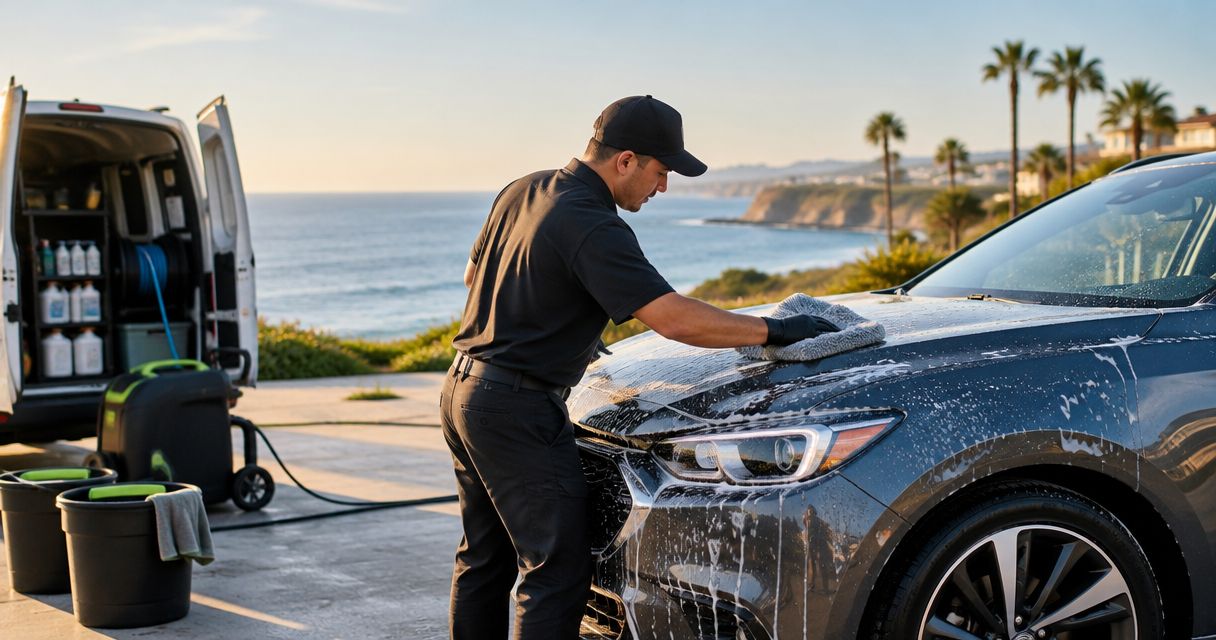
Instead of manually chasing vehicle access and appointment details, add mobile detailing to your fleet management schedule with a shared vehicle record, a provisional hold, and a confirmed service window. Keep booking confirmation separate from your internal calendar so a reminder never becomes an appointment nobody accepted.
- Add mobile detailing to fleet management schedule entries only after separating internal holds from provider-confirmed appointments.
- Spiffy Me provides mobile auto detailing for Orange County car owners; confirm fleet requirements before booking.
- Use vehicle-specific records, named handoff owners, and completion checks to coordinate interior and exterior detailing.
- Start with a manual confirmation workflow before connecting recurring reminders or calendar automation.
Why this matters
A calendar entry reserves your team's attention. It does not reserve a detailer's time, secure permission to work at a parking location, or make a vehicle accessible. Your schedule needs to track those decisions separately.
Spiffy Me is best for Orange County car owners seeking mobile interior or exterior detailing. For business vehicles, start with Spiffy Me and request a quote that describes the vehicles, location, condition, and requested work. Confirm whether the proposed fleet arrangement fits before assigning an appointment.
For your 2026 fleet calendar, treat detailing as a service task with an owner and a release condition—not just a repeating reminder. The workflow below uses fields you can create in your existing spreadsheet, calendar, or fleet system; the bold labels are suggested record names, not claims about a particular application's interface.
Before you start
- Gather access and vehicle information. You need permission to edit the fleet schedule, a vehicle roster, the dispatch schedule, and someone authorized to approve the work. Record a unit identifier rather than relying on a driver's name.
- Confirm the worksite and service requirements. Ask the provider about workspace, water or power requirements, keys, access restrictions, and any drying or curing instructions. Obtain property permission where required.
- Resolve the scheduling gotcha first. An internal calendar hold is not a provider booking. Keep the vehicle eligible for dispatch until your team deliberately blocks it, and never mark the appointment confirmed without provider acceptance.
Vehicle service record
Create the scheduling fields
- Create 1 vehicle record per service visit. Use Vehicle ID, Service requested, Condition notes, Location, and Return-to-service requirement as your starting fields.
- Add Scheduling status, Proposed window, Confirmed window, Handoff owner, and Booking reference. Use the booking reference only when the provider supplies one.
- Add Completion status, Restrictions, and Next review. Keep scheduling status separate from completion status: an appointment can be confirmed without the work being finished.
- Record the actual requirement. Write interior detailing, exterior detailing, or a request to discuss ceramic coating—not an assumed package name or an unconfirmed list of inclusions.
Expected result: Anyone opening the record can identify the vehicle, requested work, current booking state, and person responsible for access.
Keep condition notes specific. “Sand in rear footwells” gives a provider more useful information than “needs a deep clean.” Identify upholstery concerns, cargo that must remain untouched, and areas that need assessment rather than promising a particular outcome.
Do not put key-storage instructions in broadly shared calendar descriptions. Store sensitive access information in your team's approved location and identify the authorized handoff contact instead.
Choose the scheduling approach
Use the following comparison to choose how work enters your 2026 schedule. These are internal scheduling approaches, not service plans offered by a provider.
| Approach | Best for | Advantage | Limitation |
|---|---|---|---|
| Recurring review | Vehicles with predictable usage | Creates a regular condition check | The reminder does not establish that detailing is needed |
| Condition-triggered review | Vehicles with uneven use or changing occupants | Connects the request to an observed problem | Requires someone to report and assess condition |
| Combined review | Fleets needing routine checks and exception handling | Keeps both planned reviews and urgent requests visible | Needs a clear rule to prevent duplicate requests |
Start with a combined review if your vehicles have both routine use and occasional cleaning exceptions. Keep the review recurring, but make the service decision vehicle-specific. Do not repeat an appointment automatically just because the last one happened.
Appointment and vehicle-access configuration
Establish the service window
- Check dispatch requirements before proposing a time. Enter the period when the vehicle can genuinely remain parked in Proposed window.
- Ask the provider to confirm the requested service, location, scope, and timing. Discuss vehicle condition before treating an initial estimate as a settled scope.
- Put a provisional entry on the internal calendar and set Scheduling status to Pending confirmation. Make the provisional state visible in the event title.
- After provider acceptance, enter Confirmed window, set Scheduling status to Confirmed, and attach the confirmation or reference to the vehicle record.
- Block the vehicle from operational use according to your dispatch process. Include any provider-specified drying, curing, or access restrictions in the release decision.
Expected result: The calendar and vehicle record agree on the accepted appointment, while dispatch can distinguish a proposed hold from committed downtime.
Do not choose a universal appointment length. The requested work, vehicle condition, and provider's instructions determine the window you need. Ask for timing that covers the actual job rather than borrowing a duration from another vehicle.
For ceramic coating, confirm preparation requirements and return-to-use instructions before accepting the date. Spiffy Me provides ceramic coatings, but that does not establish a standard fleet process, application duration, or suitability for every parking location.
Assign the handoff
- Enter a named Handoff owner who can make the vehicle accessible and answer scope questions. Identify a backup within your internal record if the primary contact becomes unavailable.
- Confirm where the vehicle will be parked and how the provider will identify it. Use the vehicle identifier and an agreed meeting description.
- Ask the driver to remove personal belongings and flag business equipment that should not be moved. Follow your own rules for documents, devices, and cargo.
- Tell dispatch who can authorize a change. A driver returning early should not independently relocate a vehicle that has been committed to service.
Expected result: The appointment has an accessible vehicle, an authorized contact, and a clear boundary between cleaning work and items outside the agreed scope.
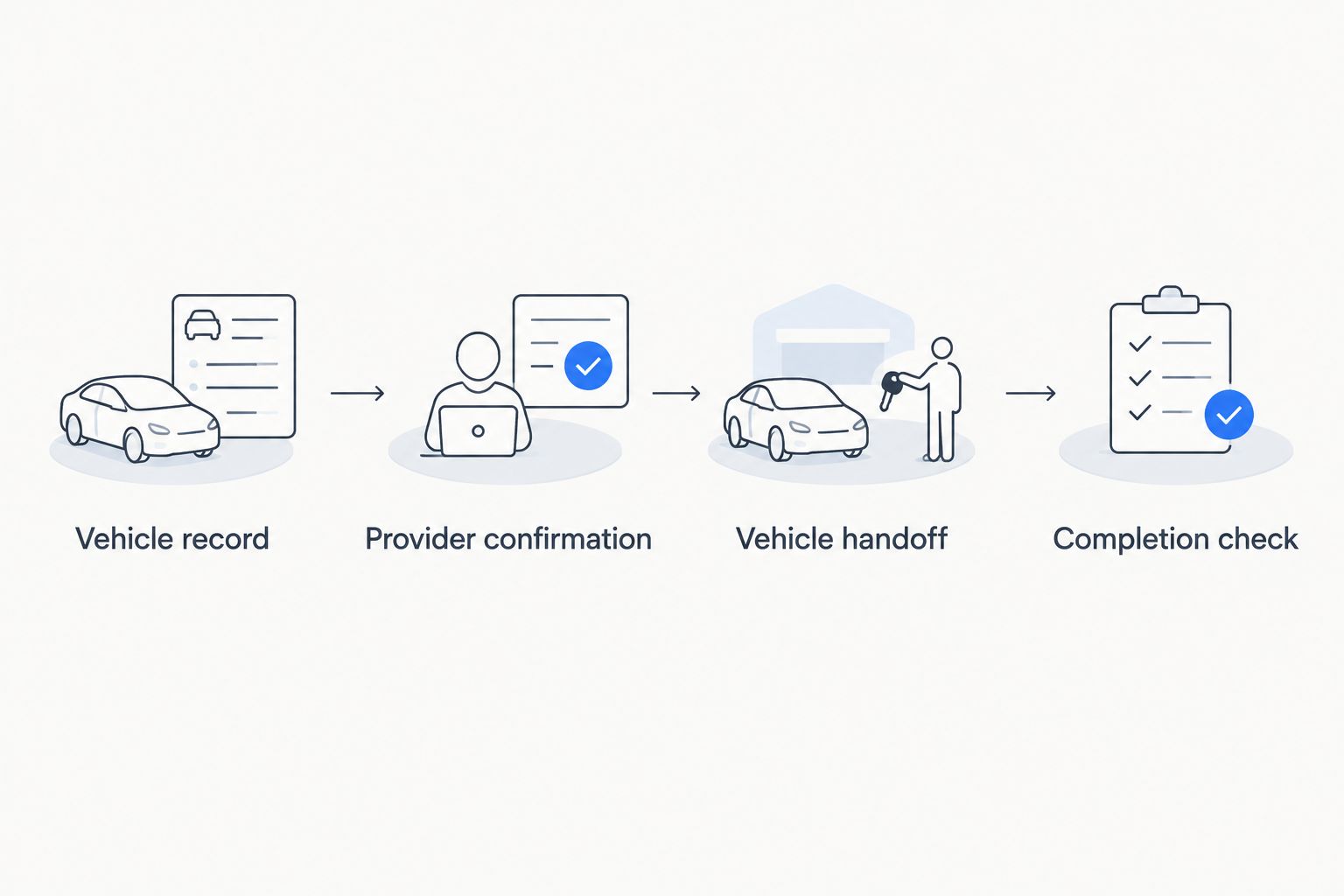
The core sequence is Vehicle record, Provider confirmation, Vehicle handoff, then Completion check. Each stage needs an owner; a calendar reminder alone cannot complete the sequence.
Completion and recurring-review configuration
Close the service visit
- Compare completed work with the agreed scope. Record unresolved concerns without marking them as completed tasks.
- Enter Completed service, Completion date, and any provider-supplied Restrictions. Keep requested work and completed work distinct when the scope changed.
- Run 3 release checks: confirm the agreed work is recorded, confirm the vehicle is accessible, and confirm any return-to-use instructions have been addressed.
- Update Completion status only after those checks. Tell dispatch that the vehicle is released through your normal operational process.
- Set Next review from the vehicle's use and observed condition. Make this a review task, not an appointment represented as already booked.
Expected result: Dispatch receives a deliberate release, and the service history shows what happened rather than what was originally requested.
For your 2026 records, preserve the appointment confirmation separately from the completion note. Moving an event into the past does not prove that the work occurred.
Connect the calendar after the process works
Start with manual updates until the handoff is clear. If your existing software supports automation, copy confirmed appointment details into the calendar only after Scheduling status changes to Confirmed.
Use 2 separate statuses at minimum: Pending confirmation and Confirmed. Add cancellation or completion states as your system requires, but do not let a condition report create a confirmed event directly.
The guide to adding a detailing appointment to Google Calendar covers the adjacent calendar workflow. Keep your fleet record as the operational reference, and check which booking and calendar functions are actually supported before connecting systems.
Request a review whenever vehicle condition changes
A condition-triggered workflow covers the gap between scheduled reviews. Use it when a driver reports a spill, an interior concern, or another issue that needs assessment before the next planned check.
- Create a condition report against the existing Vehicle ID. Include a description and photographs when your internal policies allow them.
- Check for an open service request before creating another. Add the new information to the existing record when it concerns the same visit.
- Assign an approver to decide whether the issue requires detailing, a different specialist, or an internal response.
- Request an updated scope and appointment window if the approved work changes. Keep the vehicle's dispatch status separate from the cleaning request.
- Resume the normal confirmation, handoff, and completion sequence after approval.
Expected result: A condition report starts an assessment without silently booking work or duplicating an existing appointment.
For a 2026 rollout, use this exception path alongside recurring reviews rather than creating a second independent calendar. One vehicle record should show both the planned review and any new issue affecting it.
Troubleshooting
The calendar shows a booking, but the provider has not accepted
Change Scheduling status to Pending confirmation and label the event as provisional. Contact the provider to agree on the window; do not treat an internal invitation as acceptance.
The driver takes the vehicle during the appointment window
Check whether dispatch received the confirmed block and whether a handoff owner was assigned. Reconcile the dispatch schedule with the service record before proposing another appointment.
The requested work changes when the provider sees the vehicle
Pause approval of the changed scope until the authorized contact reviews it. Update the service record and return-to-service requirement before accepting additional work or a different completion window.
Duplicate requests appear for the same vehicle
Match requests by Vehicle ID and the intended service visit, not by driver name. Keep the accepted appointment as the active record and close or merge the duplicate according to your system's process.
The parking location cannot support the planned work
Reconfirm property permission and the provider's workspace requirements. Agree on a suitable location before moving the appointment; do not assume a mobile service can operate in every parking space.
Customize your workflow
Expand your 2026 setup only after one vehicle can move cleanly through request, confirmation, access, and release. Add department ownership, approval routing, or separate interior and exterior condition notes when those fields support an actual decision.
Keep detailing separate from mechanical maintenance and safety inspections. A completed cleaning task does not close an unrelated maintenance requirement, even when both appear on the same fleet calendar.
For a quote from Spiffy Me, describe the number and type of vehicles, Orange County location, requested interior or exterior work, and access constraints. Ask the business to confirm scope, timing, and whether the proposed arrangement is suitable before building a recurring schedule around it.
Request a detailing quote
Describe your vehicles, requested work, and location before confirming a service window.
FAQ
How do I add mobile detailing to my fleet management schedule?
Create a vehicle-specific service record, request an appointment, and mark the window confirmed only after provider acceptance. Assign a handoff owner and release the vehicle after checking completed work and any return-to-use instructions.
Does Spiffy Me offer fleet management software integration?
Confirm integration requirements directly with Spiffy Me before planning a connection. A shared vehicle record and manually confirmed calendar entry let you coordinate appointments without depending on a software integration.
How often should fleet vehicles get mobile detailing?
Set review frequency around vehicle use and observed condition rather than applying a universal detailing interval. Use recurring reviews to assess need and condition reports to flag issues between reviews.
Can I automatically book detailing when a driver reports a problem?
Use the report to create a review task, not an automatically confirmed appointment. An authorized person should approve the scope and obtain provider acceptance before committing the vehicle.
Should I schedule interior and exterior detailing together?
Schedule them together when both are needed and the provider confirms the combined scope and window. Keeping separate condition notes helps you avoid requesting work solely because it appeared on a previous visit.
Can a fleet vehicle return to work immediately after ceramic coating?
Follow the coating provider's return-to-use instructions rather than assuming immediate release. Confirm preparation, application, and any curing restrictions before committing the vehicle to its next assignment.
What information should I send with a mobile detailing quote request?
Send the vehicle types, condition notes, requested work, location, access constraints, and proposed service windows. Ask the provider to confirm the scope and site requirements before booking.
One last thing
Schedule the decision before you schedule the service. A recurring condition review remains useful when a vehicle does not need detailing; an automatically repeated appointment still requires a provider, a suitable location, and an accessible vehicle.
Keep the next action visible: assess condition, approve scope, confirm booking, or release the vehicle. That distinction makes the schedule actionable instead of merely full.