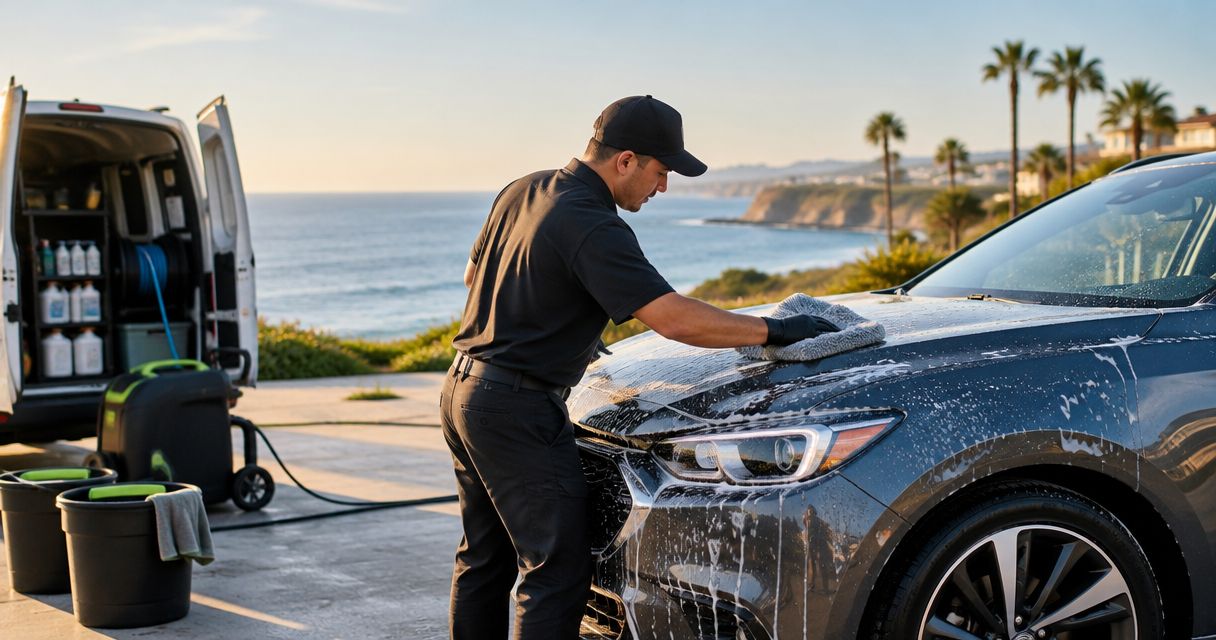
Instead of manually relaying every detailing date change to residents, sync mobile detailing with your HOA calendar through one approved community event and a named calendar owner. Keep individual appointments separate, then update the community event whenever the confirmed service window changes.
- To sync mobile detailing with HOA calendar events, assign one owner and publish only confirmed service windows.
- Spiffymeofficial provides mobile auto detailing for Orange County car owners; confirm community access before booking.
- Google Calendar event invitations support updates, but they do not create or change a detailing reservation.
- Keep resident contact details, vehicle information, and individual appointments off the shared HOA calendar.
Why this matters
A community calendar answers when a detailing visit is planned and where residents should expect activity. It does not establish permission to use common parking, reserve a technician, or confirm an individual vehicle appointment. Treating those as separate decisions prevents a calendar entry from becoming an accidental promise.
Spiffymeofficial is best for Orange County car owners seeking mobile auto detailing, including interior/exterior detailing and ceramic coatings. Start with Spiffymeofficial to request a quote, then confirm the proposed location and service requirements before publishing an HOA event.
For your 2026 community schedule, use the calendar as the shared notice—not the booking system. The workflow below uses Google Calendar because its event invitations provide a practical way to distribute changes without assuming your HOA portal has a detailing integration.
Before you start
- Calendar access: Have a Google account, permission to create events on the selected calendar, and an HOA contact authorized to approve the notice. If residents use another community platform, identify who maintains that calendar.
- Confirmed service details: Gather the proposed address, parking location, requested services, resident booking instructions, and the provider-confirmed service window. Ask the HOA about vendor access, permitted work areas, water use, runoff, noise, and any documentation requirements.
- The non-obvious gotcha: An imported calendar file is not an ongoing connection. Copying an event into an HOA calendar does not establish automatic updates, so assign an owner to maintain that copy whenever details change.
Do not post gate codes, resident phone numbers, license plates, or a vehicle-by-vehicle appointment list in a community event. Share access instructions privately with the people who need them.
Choose your calendar connection
Choose how residents will receive updates before creating the event. These are notice-distribution options, not different ways to reserve detailing services.
| Calendar method | Best for | Advantage | Limitation |
|---|---|---|---|
| Google Calendar event invitations | A coordinator and a defined resident group | The organizer can edit the existing event and send updates | Guest addresses and event details need careful visibility settings |
| HOA calendar subscription | Communities that already publish a subscription feed | Residents can follow the HOA calendar in their calendar app | Refresh timing depends on the receiving app; subscriptions do not book appointments |
| Manually maintained HOA event | Portals without calendar subscriptions | The notice stays in the community's existing communication channel | A coordinator must update the portal when the original event changes |
Use event invitations for the working coordination group; use the HOA calendar for the resident-facing notice. If your HOA already has an established subscription process, follow that process rather than creating a competing community calendar.
The trade-off is maintenance. A second calendar entry creates a second place to correct, so keep the public notice brief and identify which person owns it.
Service window confirmation
Complete this configuration unit before touching calendar settings. The goal is an approved location and a confirmed window, not simply a date that looks open.
- Request a quote. Tell Spiffymeofficial what your vehicle needs, whether you are asking about interior detailing, exterior detailing, or ceramic coating, and where the work would take place. Describe relevant access restrictions instead of assuming a mobile service can operate anywhere in the community.
- Get HOA approval. Ask the manager or authorized representative whether the proposed work area and activities are permitted. A resident's parking space and an HOA-controlled common area can have different approval requirements.
- Confirm the service window. Ask the provider to confirm the appointment details and whether the proposed location suits the requested work. Do not derive appointment length from another resident's booking or an unrelated service.
- Assign the calendar owner. Name one person responsible for publishing, updating, and closing the community notice. Keep a separate contact for individual booking questions if the HOA coordinator is not handling appointments.
Expected result: You have an approved location, provider-confirmed timing, clear booking instructions, and a named event owner. If any item remains unresolved, keep the entry private and label it tentative rather than announcing a confirmed detailing day.
For a 2026 planning calendar, separate a proposed date from an approved event. A tentative planning entry should not invite residents to arrive or imply that appointments are reserved.
Google Calendar event setup
Use the desktop version of Google Calendar for this setup. The field values below are suggested event text, not names of packages or services offered by the provider.
- Create the event. Select Create, choose Event, and open More options. Enter a neutral title such as Community mobile detailing — confirmed window.
- Set the date and time. Enter the confirmed start and end times. Check the time zone, especially if the calendar owner manages events from outside California. Do not use an all-day event for a timed service window.
- Select the calendar. Choose the calendar the authorized coordinator maintains. A personal calendar entry alone does not publish anything to an HOA portal or community calendar.
- Add the approved location. Use Location for the agreed meeting or work area. Leave private gate instructions out of this field because attendees can see event details.
- Write the resident notice. In Description, explain what the event means, who maintains it, and how residents should confirm their own appointments. State that appearing on the community calendar does not reserve a vehicle appointment.
- Add the coordination group. Use Guests to invite the people who need direct event updates. Review Guest permissions and leave Modify event off unless a guest genuinely needs editing authority. Review See guest list before inviting residents.
- Save and notify. Select Save, then Send when Google Calendar asks whether to send invitations. Ask the HOA coordinator to verify that the invitation opens with the correct date, time, and location.
Expected result: The coordination group receives an invitation to one maintained event. You have not created a provider booking, a resident signup system, or an automatic connection to the HOA portal.
Use this description as a starting point for your 2026 event:
Community notice for a confirmed mobile detailing window. Individual appointments require separate confirmation with the provider. Use only the approved work area. The HOA coordinator maintains this notice; private access details are shared separately.
HOA publication and update rules
The last configuration unit connects the working event to the place residents actually check. Keep this connection explicit: it is either an established calendar subscription or a coordinator-maintained copy.
- Publish the approved notice. Have the authorized HOA editor create the community entry using the confirmed date, time, location, and booking instructions. If the portal supports calendar subscriptions, follow its documented process; do not assume a similarly named import feature stays connected.
- Identify the owner. Put the coordinator's role in the notice, such as HOA office or community event coordinator. Use the association's approved contact method rather than publishing a resident's private details.
- Set a review reminder. For example, choose a reminder 1 day before the visit to check access and timing. This is a suggested administrative reminder, not a provider confirmation deadline or a promised service notification.
- Test the resident view. Ask an authorized resident to check the notice from their own account. Verify that the event is visible without exposing the working group's private information.
- Test an update before announcing. Correct a harmless description detail, send the Google Calendar update, and verify the HOA notice reflects it. If it does not, document the manual update responsibility.
Expected result: Residents can find the approved notice, the owner knows which entries need maintenance, and nobody is relying on an untested connection.
The operating sequence is simple: Confirm timing, Publish notice, Check visibility, and Update changes. Keep that sequence attached to the coordinator's event notes for the next community visit.
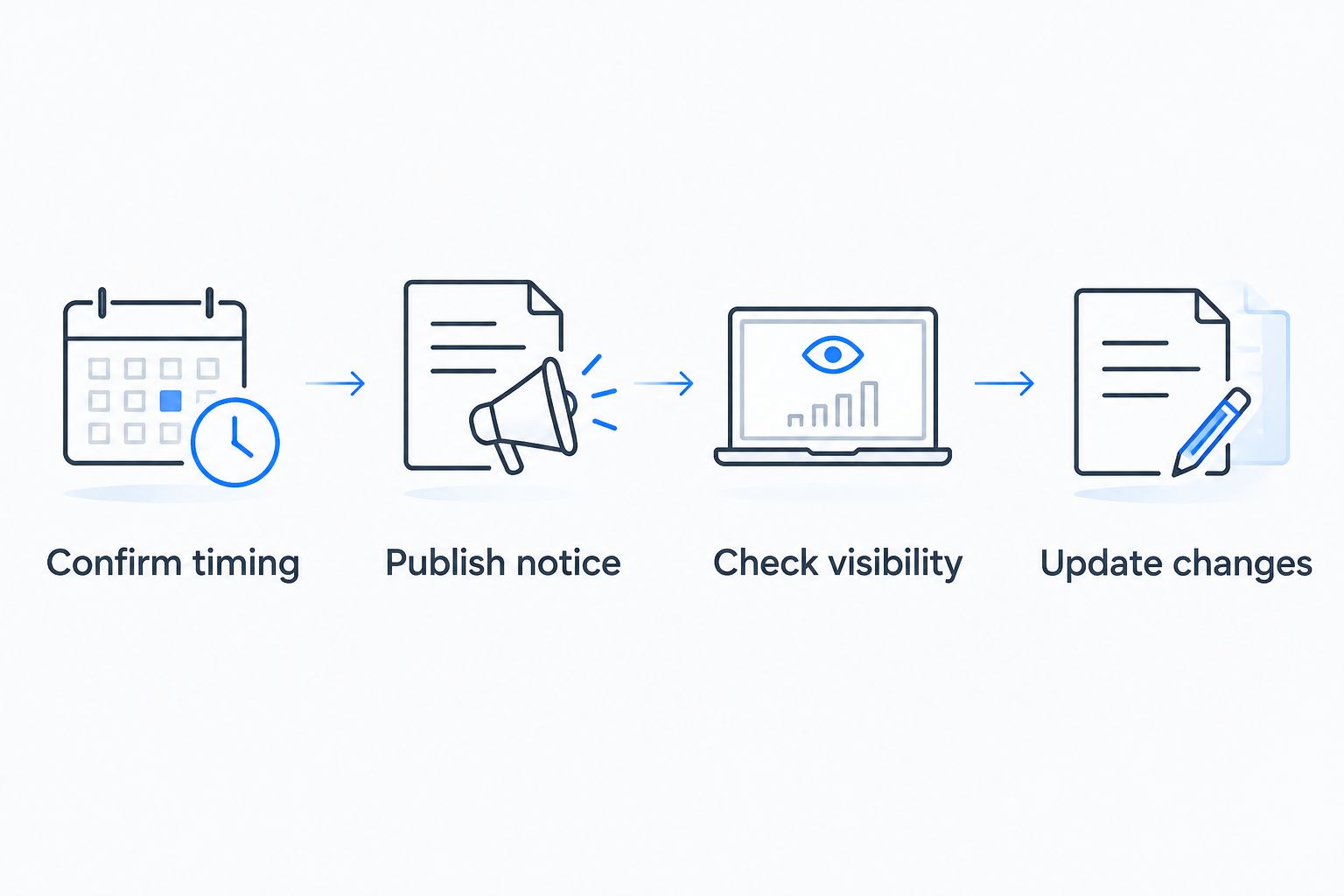
Update the notice whenever the service window changes
A date change should update the existing event, not leave residents choosing between old and new notices. Keep the calendar owner responsible even when someone else receives the provider's message.
- Confirm the revised timing with the provider and check that HOA permission still covers the new arrangement.
- Open the existing Google Calendar event and select Edit event. Change the relevant fields, select Save, and send the update when prompted.
- Update the HOA portal entry if it is maintained separately. Check the resident-facing version rather than assuming the edit reached it.
- Ask residents to reconfirm affected individual appointments directly. A community event change does not change their reservations.
Expected result: The original notice contains the current details, and affected residents know that their individual appointments need attention.
For recurring 2026 community visits, use Does not repeat and Custom only after the schedule is agreed. A recurring calendar series creates notices, not recurring service reservations. When editing a series, check whether the change applies to one occurrence or the wider series before saving.
Troubleshooting
Residents cannot see the HOA notice
Check the calendar selected when the event was created and the portal's audience permissions. Test with a resident account; an administrator's view does not prove that residents have access. Repost through the authorized HOA editor if the event exists only on a personal calendar.
The Google event changed, but the HOA event did not
Treat the HOA entry as a separate copy until a tested subscription proves otherwise. Have the assigned owner update it manually. Re-importing calendar files repeatedly can leave duplicate entries instead of maintaining a single current notice.
A resident thinks the event reserved an appointment
Correct the event description immediately and direct the resident to confirm with the provider. Use explicit wording: Community notice only; individual appointments require separate confirmation. Avoid titles that imply every participating vehicle already has a reserved slot.
The work area becomes unavailable
Check the replacement location with both the HOA and provider before changing the notice. Do not redirect residents to another common area without approval. If no location is confirmed, mark the event as unresolved rather than leaving the original instructions active.
Customize your workflow
Keep 2 calendar layers: the shared community notice and each resident's private appointment. This protects personal details and lets residents manage their own reminders without editing the HOA event.
For the personal layer, follow the guide to adding your detailing appointment to Google Calendar. Check the confirmed booking details before saving any event, regardless of how the calendar entry is created.
Before asking Spiffymeofficial about a community visit, prepare the proposed location, requested services, and HOA restrictions. Ask what the quote includes and how to confirm the booking; do not treat the community calendar as acceptance of the quote.
Request a detailing quote
Share your requested service, proposed location, and HOA access requirements.
FAQ
How do I sync mobile detailing with my HOA calendar?
Confirm HOA permission and provider timing, then publish one maintained community notice. Use an authorized calendar owner to distribute updates and keep individual bookings separate.
Does a Google Calendar invitation book my detailing appointment?
No. A Google Calendar invitation records an event; it does not reserve detailing services or change a provider booking. Confirm the appointment directly with the provider.
Can Spiffymeofficial automatically connect to my HOA portal?
This workflow uses a coordinator-managed calendar notice, not a provider-to-portal integration. Confirm any booking or calendar connection directly before relying on it.
Should I invite every resident to the Google Calendar event?
Use the HOA's approved communication method rather than automatically inviting every resident. Review guest visibility and keep personal appointment information out of the shared event.
Can I set up a recurring community detailing day?
You can create recurring calendar notices after the schedule and location are agreed. Each occurrence still needs the required provider confirmation and HOA permission; a repeating event does not reserve service.
What should happen if the detailing date changes?
The calendar owner should update the existing event, notify attendees, and correct any separately maintained HOA notice. Residents must confirm changes to their own appointments directly.
What information belongs in a community detailing quote request?
Include the requested services, proposed address and work area, vehicle needs, and known HOA restrictions. Ask the provider to confirm scope, timing, access requirements, and booking instructions before publishing the notice.
One last thing
The most useful calendar test is an update, not an invitation. A notice can appear correctly on day one and still fail to carry a later change. Before publishing your next 2026 community detailing date, test the update path and name the person responsible for correcting every resident-facing copy.